
InfixEdu School School Management System Software

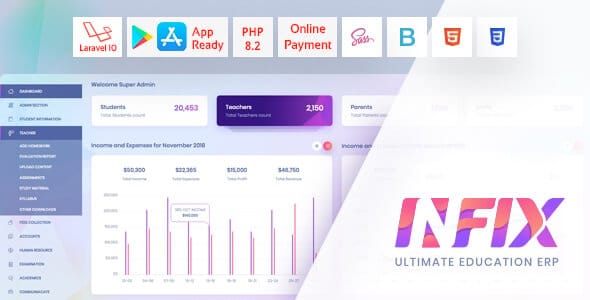
InfixEdu School is a powerful and modern School Management System Software designed to automate and streamline the entire academic, administrative, and financial operations of educational institutions. Built using the latest web technologies, InfixEdu offers a complete digital transformation solution for schools, colleges, and universities looking to simplify management tasks and enhance productivity.
With InfixEdu, institutions can manage everything — from student admissions and attendance to exam grading, timetables, HR, and accounting — all from one centralized dashboard. Teachers, administrators, parents, and students can collaborate efficiently using real-time communication tools, notifications, and online portals.
The software provides a user-friendly interface and a modular system that allows customization according to institutional needs. Its academic management tools make it easy to track student performance, schedule exams, manage assignments, and maintain records digitally. Meanwhile, the finance and accounting module handles fees, salaries, expenses, and reports — ensuring transparency and accuracy in every transaction.
One of InfixEdu’s standout features is its parent-teacher communication system, allowing instant updates on student progress, attendance, and results. It also supports multi-language functionality, cloud hosting, secure data storage, and mobile responsiveness, making it accessible anytime, anywhere.
What Features does INFIX have that are Different From Others in the Market?
Color, Design, Code & Customization: With due respect to other school management system providers in the market, we have noticed that most of them have put little emphasis on the color palettes and front-end design of the system. So we put some extra care into it because the look matters for the people who will be using them.
We pinpointed some areas that generally cause trouble while customizing these systems. We tried to make the process as easy as possible.
UI & UX Ready: Design happens to be your silent ambassador. With the end-level users in mind, this platform has been designed with a super intuitive and minimalistic approach. Its user-friendliness is its gorgeousness.
Documentation: The comprehensive documentation guide is divided into palatable parts. This documentation guide is generally enough for beginners and advanced users to get the system up and running. We are continuously updating it to cover all your probable needs.
Key Features
Complete school management system with modular control
Student admission, attendance, and exam management
Teacher and HR management with a payroll system
Online fees collection and accounting module
Parent and student portal with real-time updates
Library, transport, and hostel management
Customizable roles and permissions
Multi-language and mobile-responsive design
Reports, analytics, and data export
Secure cloud backup and notifications system
INFIX Features Module:
- Lesson Plan
- Chat Module
- Single Student Multi-class Allow
- Menu Manager
- Admin Section
- Student Info
- Academics
- Study Materials
- Fees Collections
- Accounts
- Human Resource
- Leave Management
- Examination
- Online Examination
- Home Work
- Communication
- Library
- Inventory
- Transportation
- Dormitory
- Reports
- Role and Permission
- System Setting
- Style
- Website Setting
- One-click Update
- Easy Installation
NEW FEATURE MODULE RELEASED:
- NEW FEES SYSTEM OPTION
- WALLET SYSTEM
- NEW CLASS ROUTINE
Teacher Panel Features:
- Add Homework
- Evaluation Report
- Upload Content
- Assignments
- Study Material
- Syllabus
- Other Downloads
- Teacher
- Managing students
- Managing exam marks
- Managing attendance
Parents Panel Features:
- Get children’s marks
- Get children’s payment invoices
- Get the children’s class routine
- Messaging with teachers
- Child’s attendance tracking
Student Panel Features:
- Get class routine
- Get exam marks
- Get attendance status
- Get study materials/files from the teacher
- Get payment invoices, pay online
- Communicate with the teacher
- Online Exam
Admin Section:
- Admission Query
- Visitor Book
- Phone Call Log
- Postal Receive
- Postal Dispatch
- Complain
- Admin Setup
- Student Certificate
- Generate Certificate
- Student ID Card
- Generate ID Card
Student Info:
- Student Category
- Add Student
- Student List
- Student Attendance
- Student Attendance Report
- Subject-Wise Attendance
- Subject-Wise Attendance Report
- Student Group
- Student Promote
- Disable Student
Academics
- Optional Subject
- Section
- Class
- Subject
- Assign Class Teacher
- Assign Subject
- Class Room
- Class Time Setup
- Class Routine
Study Material
- Upload Content
- Assignment
- Syllabus
- Other Download
- PDF View
- Image Preview
- Video Preview
- Upload support: jpg, png, jpeg, pdf, doc,docx,mp4,mp3
Lesson Plan:
- Lesson
- Topic
- Topic OverView
- Lesson Plan
- Lesson Plan Overview
- Can create multiple sections at a time
- Student Panel
Fees collection:
- Fees Group
- Fees Type
- Fees Master
- Fees Discount
- Collect Fees
- Search Fees Payment
- Search Fees Dues
- Bank Payment
- Fees Carry Forward
- Report
- Collection Report
- Monthly Collection Report
Accounts:
- Account Dashboard
- Profit
- Income
- Expense
- Search
- Account List
- Payment Method
- Bank Account
- Payment History
Human Resources:
- Staff Directory
- Staff Attendance
- Staff Attendance Report
- Payroll
- Payroll Report
Examination:
- Marks Grade
- Exam Time
- Exam Type
- Exam Setup
- Exam Schedule
- Exam Attendance
- Mark Register
- Send Mark by SMS
- Exam Setup role: Final Mark from multiple exams
- Format Setting
Online Exam:
- Marks Grade
- Question Bank
- Multiple Choose
- True False
- Fill in the Blank
- Online Exam
Homework:
- Add Home Work
- Home Work List
- Home Work Evaluation Report
Chat:
- Chat Box
- Invitation
- Blocked User
- Setting
- Pusher or jQuery
- Can Teacher Chat With Parents
- Admin Can Chat Without Invitation
- Can Student Chat With Admin, Accounts
- Open Chat System
- Invitation Requirement
- Can Upload File, Size Limit
- Can Make Group
- Teacher Can Pin Top Message
- Can a Staff or Teacher Ban a Student
Communicate:
- Notice Board
- Send Massage
- Send Email/Sms
- Email/Sms
- Event notice
- Event Logs
- Holiday notice
Library:
- Add Book List
- Add Member
- Member listing & management
- Book category/list
- Issue/Return Book
- All Issued Book
- Card issuing
Inventory:
- Item Category
- Item List
- Item Store
- Supplier
- Item Receive
- Item Receive List
- Item Sell
- Item Issue
Transport:
- Routes
- Vehicle
- Assign Vehicle
- Student Transport Report
- Schedule/Routine
Dormitory:
- Dormitory Rooms
- Dormitory
- Room Type
- Rooms monitoring
- Student Dormitory Report
Reports:
- Student Report
- Guardian Report
- Student History
- Student Login Report
- Fees Statement
- Balance Fees Report
- Class Report
- Class Routine
- Exam Routine
- Teacher Class Routine
- Merit List Report
- Online Exam Report
- Mark Sheet Report
- Tabulation Sheet Report
- Progress Card Report
- User Log
- Previous Result
- Previous Record
System Settings:
- General Settings
- Promote students without an exam
- Email Settings
- Payment Method Settings
- Role Permission
- Base Group
- Base Setup
- Academic year
- Session
- Holiday
- SMS Settings
- Weekend
- Language Settings
- Backup
Front CMS
- Header Menu Manager
- Home Page
- News Heading
- News Category
- News List
- Course Heading
- Course Details Heading
- Course Category
- Course List
- Testimonial
- Contact Page
- Contact Message
- About Us
- Social Media
- Page – Create unlimited pages
- Footer Widget
Common Features:
- Added Menus
- Added Media Manager
- Added Pages
- Added Event
- Added Gallery
- Added News
- Added Banner Images
- Added Human Resources with Payroll module
- Added Staff Directory
- Added enable/disable staff
- Added Staff Attendance
- Added Staff Attendance Report
- Added Payroll
- Added Payroll Report
- Added Approve Leave Request
- Added Apply Leave
- Added Leave Type
- Added Department
- Added Designation
- Added Front Office with the Admission Inquiry module
- Added Admission Inquiry with Status and Follow-Up
- Added Visitor Book
- Added Phone Call Log
- Added Postal Dispatch
- Added Postal Receive
- Added Complain
- Added Setup Front Office
- Added ACL-based Roles and Permission module
- Added Roles
- Added Assign Permissions on Roles
- Added enable/disable modules
- Added Certificate and ID Card Print module
- Added Student Certificate
- Added Generate Certificate
- Added Student ID Card
- Added Generate ID Card
- Added the Homework module
- Added Homework
- Added Homework Evaluation Report
- Added Calendar with To-Do List module
New Features
- If payment of fees is not received by the due date, the student and parent will have payment access only.
- Fees Installment (old fees system)
Why Choose Us
Right from the moment of your purchase,
- You will be guided by our Comprehensive Documentation guide to getting the process up and running.
- You will get the INFIX team’s award-winning after-sales service. Your every issue (even the tiniest technical bits) is equally significant for us as we are relentlessly working to make this platform better every day.
- With this solid platform and the after-sales service that comes with it, you have nothing to lose. We provide value for every penny we take.
Important notice:
- We offer free support (Time support can be up to 2 days)
- We don’t offer a refund (If the item has been downloaded or by Mistake)
- We don’t support installation and custom script-free
- Read all the product information before you decide to buy it
- One purchase can use a maximum of one school only
- We have a demo to check all the points. After purchase cannot accept the refund. This feature is not available. something like that.
InfixEdu School Management System provides institutions with a smart and scalable solution that reduces manual workload, increases efficiency, and fosters a collaborative academic environment. It’s the ultimate tool for modern education management.