
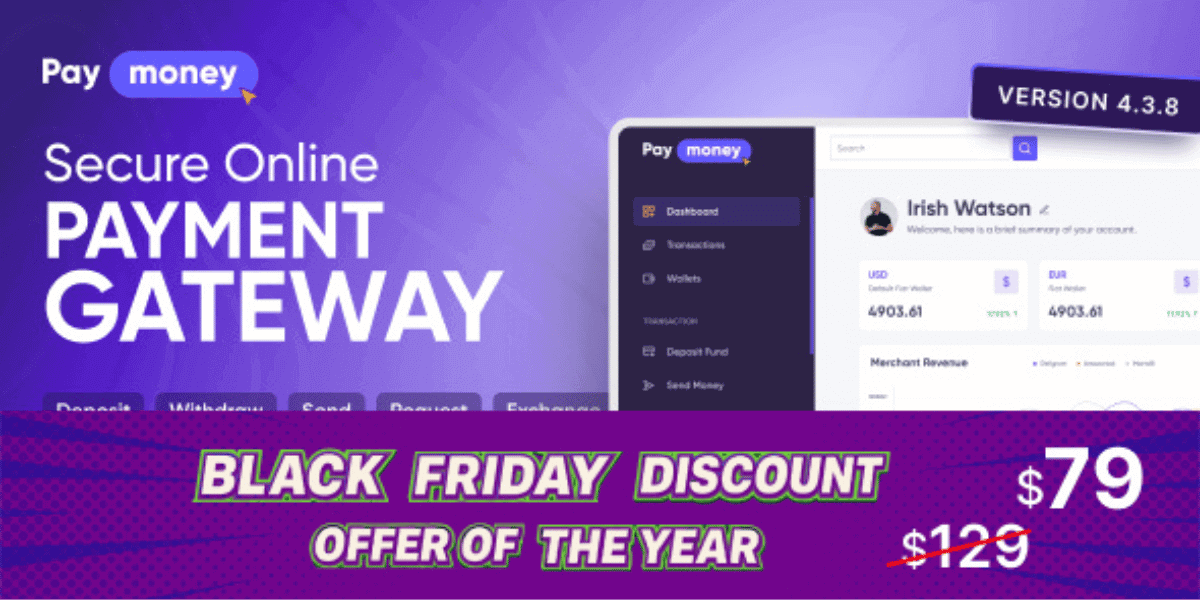



Overview of PayMoney
- It is very difficult to remain thousands of miles away from the people you love & care a lot. Hopefully, it will be easier now with PayMoney. PayMoney is an online payment gateway that ensures smooth and secure transaction from the pre-payment to the pay-out process.
- PayMoney is a much simpler & convenient way to send money online rather than going to bank or other ways. Just follow the PayMoney documentation to get started.
- It will help to keep your account more secure & reliable. Enjoy safe online payments through PayMoney. This system is similar to larger payment services like PayPal or Stripe.
- You can deposit money in few minutes with multiple currencies and multiple payment gateways like PayPal, Stripe, CoinPayments and much more.
- The main features of the application – Deposit, Payout, Transfer, Exchange, Request Payment, Ticketing system, Revenues, Merchants, Merchant Payment etc. If a user has any claim against any payment, they can claim to the defendant using Dispute.
Read More:
Key Features
Deposits
Registered users can make deposit into payMoney. With our system payment methods, users can do deposit. The user can select which Wallet they want to deposit the amount.
Transfer Amount
It is possible transfer money to any registered or unregistered users. Unregistered users can see their money once they sign up. Admin can block or refund for any illegal issues.
Request Amount
Registered users can request money to any Registered or Unregistered users. Request receiver has the option to approve the request or cancel it.
Currency Exchange
By paying money, the user can exchange any currency from ‘wallet’ to ‘To wallet’. Can set exchnage type as Local/API. Based on each currency exchange rate, amount will be converted and added on user wallets. Admin can see details about exchange in Currency Exchange.
Payment Methods
Currently, we have 7 payment methods to deposit money – PayPal, Stripe, Payeer, PayUMoney, Coin Payments, Coinbase & Bank. From Currencies->Payment method, admin can activate/deactivate payment methods.
Payouts / Withdrawals
Money can be easily withdrawn from wallets. PayPal/Bank, how do you want to withdraw your money? To withdraw money, you must first enter your bank details in the withdrawal settings, or if it is PayPal, simply enter your PayPal email address. Withdrawal, on the other hand, is a manual process in PayMoney. Following the withdrawal request, admin will manually send the funds to the bank or paypal email address.
Crypto Send Receive
PayMoney is integrated with Bitcoin, Litecoin, Dogecoin, Ethereum, and Tron cryptocurrencies, allowing users to send crypto balances to valid wallet addresses. The process of sending and receiving transactions is fully automated and connected to the blockchain.
Read More:
Token Send Receive
PayMoney admins can deploy TRC-20 tokens on the Tron network, enabling the sending and receiving of TRC-20 tokens within crypto wallets.
Revenues
Fixed amount charge & charge percentage is revenue in PayMoney system.For transaction typeseach currency, admin can set few amount of charges from fees that will separately show in Revenues in admin panel. Only admin can see revenues.
Roles & permissions
As owner of this site you can add other user as admin providing permission to specific role.
User Group
Admin can add default group for site users. For group users, admin gives specific permission to each group.For example, Users may apply to be Merchant and admin can change his group to Merchant providing extra permission.
Preferences
From settings-> preferences, admin can set Time zone, Date format, Money symbol, Thousands separator.
Activity Logs
Admin can see each users login activity from activity logs.
Merchants
User can create merchants via this system. We have two types of merchant- Standard & Express.
In PayMoney Standard type user can create merchant and generate merchant payment form. By this form user will get the pay now option & do payment to merchant.
PayMoney Express Checkout gives your buyers a simplified and secure checkout experience using API that keeps them local to your website or mobile app throughout the payment process.
Disputes
User can contact with merchant through Dispute option if user have any claim about their product. Administration can take action (Approved or Reject) discussion on both parties.
Create Tickets
Ticket system is better way to dealing with customer about their issues where user can report or ask questions on various issues. If you have trouble with the site or program, you can use this option as help.
Email Templates & settings
To send mail we have dynamic email template which is changeable too. If you want you can change the template. It also supports multiple languages. We have two E-mail sending protocols. You can send email via SMTP and another one is default, send mail option.
2-Factor Authentication
2FA is an extra layer of security used to make sure that people trying to gain access to an online account are who they say they are. It is used to control access to systems and data from hackers. 2FA is allowed for By email, By Phone & By Google Authentication.
Then scan QR code from your systems via phone & enter the 6-digit OTP from your app.
Email/Phone verification
Email verification services help you to portect your account.This process is helpful to confirming that an email address is valid or not. System automatically send a verification code to the email address used to sign up for the account.
Manual Deposits & Payouts/Withdrawals
The PayMoney system allows for manual deposits and withdrawals. For every specific user, the administrator can manually deposit and withdraw funds. Additionally, a user can manually deposit money via bank and withdraw funds to a bank or PayPal account.
Know your customer (KYC)
It is the process of knowing your customers. It helps to verify the identity of any clients either before or during the time you start the business with them. KYC allows companies to protect themselves by ensuring that they are doing business legally or not, and it also protects the individuals who might otherwise be harmed by financial crime.
There are two types of verifications-
- Address verifications
- Identity verifications
Address verifications: Go to user profile and upload appropriate file for address verification. If admin approves it, it will display ‘Address verified’ in users list in admin panel and also in user profile in user panel.
Identity verifications: At first, from user panel select the identity type & provide your necessary credentials. When admin approves the user identity, it will show ‘Identity Verified’ in users list in admin panel and also as in user profile.
Notification Settings
During each transaction admin will get email as transaction notification. Admin will be able to set individual admin email for individual transactions types (Deposit, Send, Request, Payout, Exchange, Payment).
To receive email notifications, admin must configure the notification settings from notification settings option. Admin can assign anyone (set email) for each transaction type.
User Status Change: Admin can change user status to Active/Inactive/Suspend.
Active: Users can do all types of activities from his/her panel.
Suspend: Users will be able to login to the system, but they can’t do any type of transactions (Deposit, Send Money, Request payment, Exchange, Payout, Merchant payment)
Send/Request Money via Phone number
User can Send/Request money via user phone number ( Registered or unregistered users). While transferred amount or send request to user phone number, user get sms on their mobile number.
TatumIO Subscriptions
User can manually create notifications for any user on TatumIO, ensuring they receive timely updates for events related to their blockchain addresses.













Reviews
Clear filtersThere are no reviews yet.