
RecruitPro: Job Portal Laravel Script

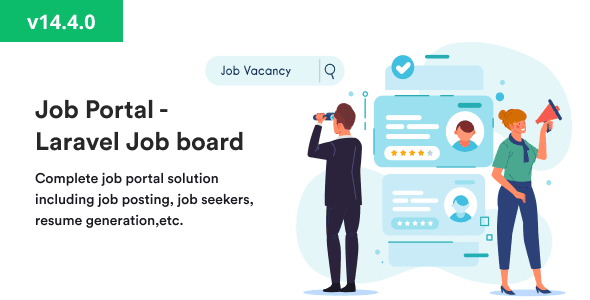
RecruitPro is a powerful and feature-rich Job Portal Laravel Script designed to build professional online job boards and recruitment platforms with ease. Developed on the robust Laravel framework, RecruitPro offers a seamless experience for both employers and job seekers, providing all the essential tools to manage listings, applications, and candidate profiles efficiently.
With RecruitPro, you can launch your own job marketplace similar to Indeed, Glassdoor, or LinkedIn Jobs. Employers can post jobs, manage applications, and shortlist candidates directly from their dashboards. Meanwhile, job seekers can create detailed profiles, upload resumes, and apply for positions using an intuitive and responsive interface.
The script includes advanced features such as AI-powered job recommendations, resume parsing, keyword search, and filter-based job browsing. RecruitPro also supports subscription plans, premium job listings, and integrated payment gateways like PayPal and Stripe, enabling platform owners to monetize their services easily.
The admin panel offers full control over site operations, including job management, employer approvals, and system analytics. RecruitPro also supports multi-language, multi-currency, email notifications, and SEO-friendly URLs, ensuring global scalability and discoverability.
Built for performance and security, RecruitPro delivers a smooth, reliable, and mobile-optimized user experience. It’s ideal for startups, HR agencies, and entrepreneurs seeking to develop a modern recruitment platform or a specialized job board for specific industries.
With RecruitPro, you can revolutionize online hiring by connecting talent and employers in one dynamic ecosystem — a complete recruitment solution powered by Laravel.
Portal Admin Panel:
Dashboard
All the information at a glance about what’s happening in the job portal. How many candidates & employers have registered so far? How many jobs are posted and active, and more. It is the place where the portal admin can have a complete idea about the website.
Candidates Management
Manage all candidates from here. See their profile information and make edits if needed. You can even create and delete, or suspend the candidates.
Employers Management
Manage all employers from this module. Review their company profile. Create/Edit/Delete and activate/deactivate company accounts.
Reported Jobs
Anyone can report a job if they find something wrong with that. Those reported jobs will be displayed in this section, and the portal admin can take appropriate action.
Reported Employers
If any company is violating the terms and usage of the website, then it can be reported as well, and the portal admin can disable/delete their accounts.
Jobs
A job is the key and most important feature of a job portal. The portal admin can see all the posted jobs by all the employers. They can manage jobs and make edits if needed.
Job Categories
Every job can be categorized into a different category based on its purpose. So it can be easy for candidates to find the right job that fits them.
Skills
Every job requires certain skills that are required to complete the job. Different skills are managed here. So employers can mention it while posting jobs, and candidates can list these skills in their profile, in which they are experts. So, candidate shortlisting can be made easy.
Job Tags
Jobs can also be tagged with a totally custom tag that makes sense to the job.
Job Types
All job types can be managed here. Employers can use them while creating jobs.
Job Shifts
The portal admin can manage job shifts here. So the employer can specify in which shift this job needs to be done.
Company Sizes
The portal admin can define different company sizes here that employers can mention while creating their profile.
Salary Periods
Salary periods are the frequency at which the Job will be paid and the employer will pay the hired candidate. The portal admin can manage all salary periods here.
Marital status
All possible marital statuses of candidates can be managed in this module by the portal admin, which candidates can mention in their profiles.
Industries Management
All industries to which jobs belong can be managed in this module.
Degree Levels
Jobs may require certain degree levels in candidates to be completed. The portal admin can manage different possible degree levels here.
Functional Areas
Different functional areas of a Job can be managed in this module.
Career Levels
Career levels of candidates can be managed in this module, which candidates can use in their profiles.
Salary Currencies
The portal admin can manage different currencies of salary in this section. The salary currency will be specified while creating a job.
Ownership Types
Employers can have different ownership types. The portal admin can define them here so that employers can use them in their profiles.
Blog Post Categories
The blog post can belong to different categories, and the portal admin can define them here, which can be associated later while creating job posts.
Blog Posts
The portal admin can write blog posts from this section, which can help in explaining certain articles about the portal and help to gain traffic via SEO.
Subscription Plans
Admin can create different kinds of plans for employers. We are giving a default trial plan, which will not be deleted. By default employer will get a trial plan with 1 allowed job; the admin can change the allowed job count for the trial plan.
For new plan creation, you have to give details of the plan name, allowed jobs for that plan, and the plan price.
Transactions
Admin can see the list of transactions created from subscriptions and from the featured jobs and featured companies charges. Admin can also able to see the invoice receipt for subscription transactions.
Settings
Various settings related to Job portal branding, like name, logo, footer, etc., can be managed from this section.
Front Settings
In the front setting admin can add prices for featured jobs and companies. They can also define the featured jobs/companies quota limit. How many jobs should be featured at a time?
Admin can disable the featured jobs and companies feature by using this setting.
Testimonials
Frontend website home page testimonials can be managed from this section.
Website CMS
The portal admin can change and manage the content of the website from this section on different pages.
Noticeboards
Portal can create global notices to display some critical notices and announcements on the website.
FAQs
Manage your website FAQs in this module to answer users’ frequently asked questions.
Inquires
The website’s contact us form submission is converted to an inquiry that which portal admin can see in the admin panel and respond to them.
Employer Panel:
Subscription
By Default, when an employer registers for the system, they will get a free trial plan with 1 trial job. The trial job count depends on the admin and how many they allow for the free plan.
After that, when you exceed your limit, you will not be able to add more jobs, which means Active Jobs. You can add a job, but as a draft. You cannot allow to publish it until and unless you have an active subscription with a valid job limit.
So the employer can upgrade their subscription by purchasing a new plan. We are supporting the Stripe payment gateway for payment as of now.
Dashboard
This is where an employer can see statistics of their account about currently open jobs, job applications, etc.
Profile Creation
The employer can manage their company profile from here.
Post Jobs
The employer can post jobs from this section. They can manage and change job status, and also edit the job. They can pause or close the job as well.
Featured Jobs
You can make your job featured by paying the fee for it. The featured job charge will be added by the admin. The featured job will be displayed on the landing page for a specific time of period, whatever the admin has decided.
Featured Company
You can mark your company as featured to display it on the landing page. You have to pay a fee to make your job featured.
Manage Job Applications
In this section, the employer can manage all the job applications of candidates that they received for a particular job.
Shortlist or Reject Candidates
The employer can shortlist to reject candidates who applied to a job from this section. After shortlisting, they can talk with the candidate and finally either select or reject.
Manage Followers
Candidates can follow the companies that they want, and employers can see all their followers here.
Job Seekers (On landing page)
Employers can use this for searching the candidate that which candidates who are looking for jobs. You can search job seekers by name and by job title.
There is a filter for gender, too. It supports pagination, and you can reset the filter by hitting the reset button.
Candidate Panel:
Dashboard
The candidate can see their dashboard here, which displays their profile with contact and location information.
Profile Creation
A candidate can create their profile and provide their information here about their expertise and experiences.
Upload Resumes
A candidate can upload multiple resumes based on different skills and experiences in their profile, which can be used while applying for a job.
Search & Apply for a Job
A candidate can search for a job that fits his expertise and abilities, and then apply to that job by mentioning his ability to complete that job.
List of applied jobs
The candidate can also see the list of jobs where they applied. They can also see the status of his job application and get updated when the status of the job application is updated by the employer to shortlisted, rejected, selected, etc.
CV/Resume Builder
Here, candidate can add their details like skills, education, experience, social profiles, etc. The candidate can also remove the details if they don’t want them.
The interesting feature is export; we are supporting the resume export from the details you entered. You can just print it out or export the resume as a PDF file.
Follow Companies
The candidate can follow the company that they want. So at any point in the future, they can see the jobs of that company.
Favorite Jobs
A candidate can also mark a job as a favorite so they can later come and apply to that job.
Report Job
If something is wrong with the job, then they can report the job to the portal admin, so they can take appropriate action.
Report Company
A candidate can also report a company if they feel something unusual about the employer, and can send their note while reporting the company.
Share the job with Friends
A candidate can also share a job with their friends if they feel that this job can be useful to their friends.
Upcoming Features:
- Social Authentication
- Paypal Integration
- Admin can feature jobs and companies
- Job Alerts by Email for Candidates for Categories
Tags:
- online job portal
- job board script
- job posting
- featured jobs
- featured companies
- job management
- recruitment script
- employer subscriptions
- job hunt
- hiring solution
- job search
- job seeker
- jobs system
- naukri portal
- career portal
- resume portal
- employer
- job classifieds